How to make a weighted gradebook in Google Sheets
A weighted grade means tests count for more than homework. Google Sheets can do the math, as long as you keep points earned and points possible separate.
Set up the categories
On a Setup tab, list each category and its weight:
- Homework: 20%
- Classwork: 15%
- Quizzes: 15%
- Tests: 40%
- Projects: 10%
The weights should add up to 100%. Put the categories in A2:A6 and the weights in B2:B6.
Lay out the gradebook
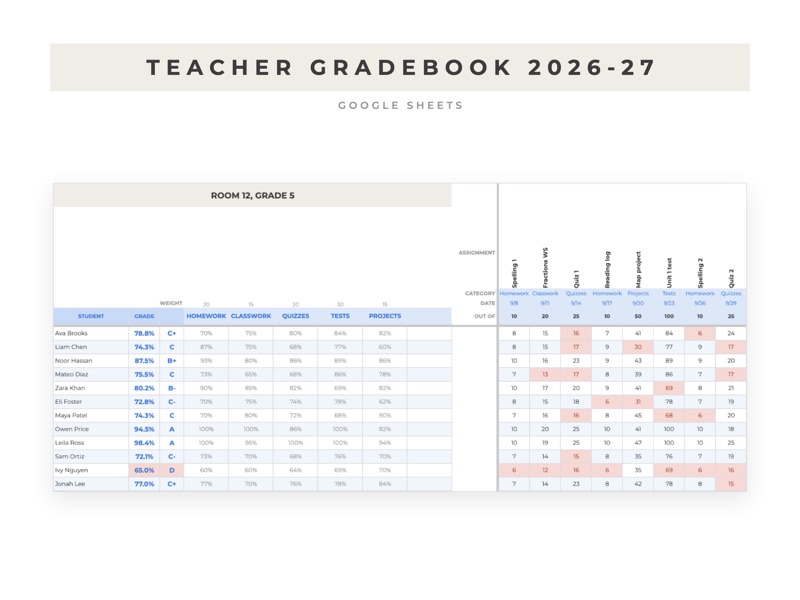
On the Gradebook tab, put one student on each row and one assignment in each column. Above the scores, add three header rows for each assignment: its category, its date and the points it's worth.
Leave a score blank when work is excused. The formulas below skip blanks, so an excused assignment doesn't pull the grade down.
Work out each category
For one student in row 5, with categories in row 1, points possible in row 3 and scores in E5:BL5, the homework percent is:
=SUMIFS(E5:BL5,$E$1:$BL$1,"Homework")/SUMIFS($E$3:$BL$3,$E$1:$BL$1,"Homework",E5:BL5,"<>")
Make one column like this for each category.
Combine them
If the five category percents are in columns BM to BQ, the overall grade is:
=SUMPRODUCT(BM5:BQ5,TRANSPOSE(Setup!$B$2:$B$6))
To turn it into a letter, list your cutoffs on the Setup tab in ascending order (0 F, 60 D, 70 C, 80 B, 90 A) and use =VLOOKUP(BR5*100,Setup!D2:E6,2,TRUE).
Shade low scores
Select the grade column, open Format, then Conditional formatting, and color any value less than 0.7. Students who need a check-in stand out at a glance.
If you'd rather not build it
The Teacher Gradebook 2026-27 has this set up for up to 40 students and 60 assignments, plus attendance for 180 school days and a log for parent contacts.