How to track birthdays in Google Sheets so they repeat every year
The trick to a birthday list that lasts is to store the month and day, not one year's date. Then the sheet can work out the next birthday every year on its own.
Set up the list
Put one person on each row:
- Name
- Group (family, friends, work)
- Occasion (birthday or anniversary)
- Month, as a number
- Day
- Year of birth, if you know it
Work out the next date
With the month in D2 and the day in E2, the next birthday is:
=DATE(YEAR(TODAY())+(DATE(YEAR(TODAY()),D2,E2)<TODAY()),D2,E2)
That takes this year's date, or next year's if it has already passed. Then:
- Days to go:
=G2-TODAY() - Turning:
=IF(F2="","",YEAR(G2)-F2)
Someone born on February 29 shows up on March 1 in years that aren't leap years.
See who's next
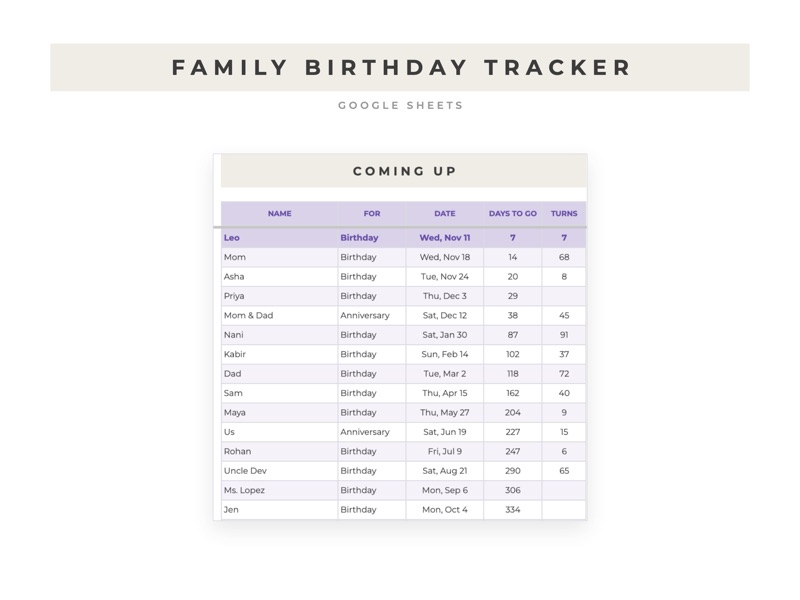
On a second tab, =SORT(Birthdays!A2:H,8,TRUE) lists everyone by days to go, so the next birthday is always at the top. Add a conditional formatting rule to highlight anyone in the next seven days.
Keep gift ideas with the dates
Add a column for gift ideas and one for notes, like a favorite cake or a clothing size. When the reminder comes up, everything you need is on the same row.
If you'd rather not build it
The Family Birthday Tracker has all of this set up, with a Coming Up tab that highlights this week, a By Month tab with the whole year on one page, and columns for gift ideas and notes.